
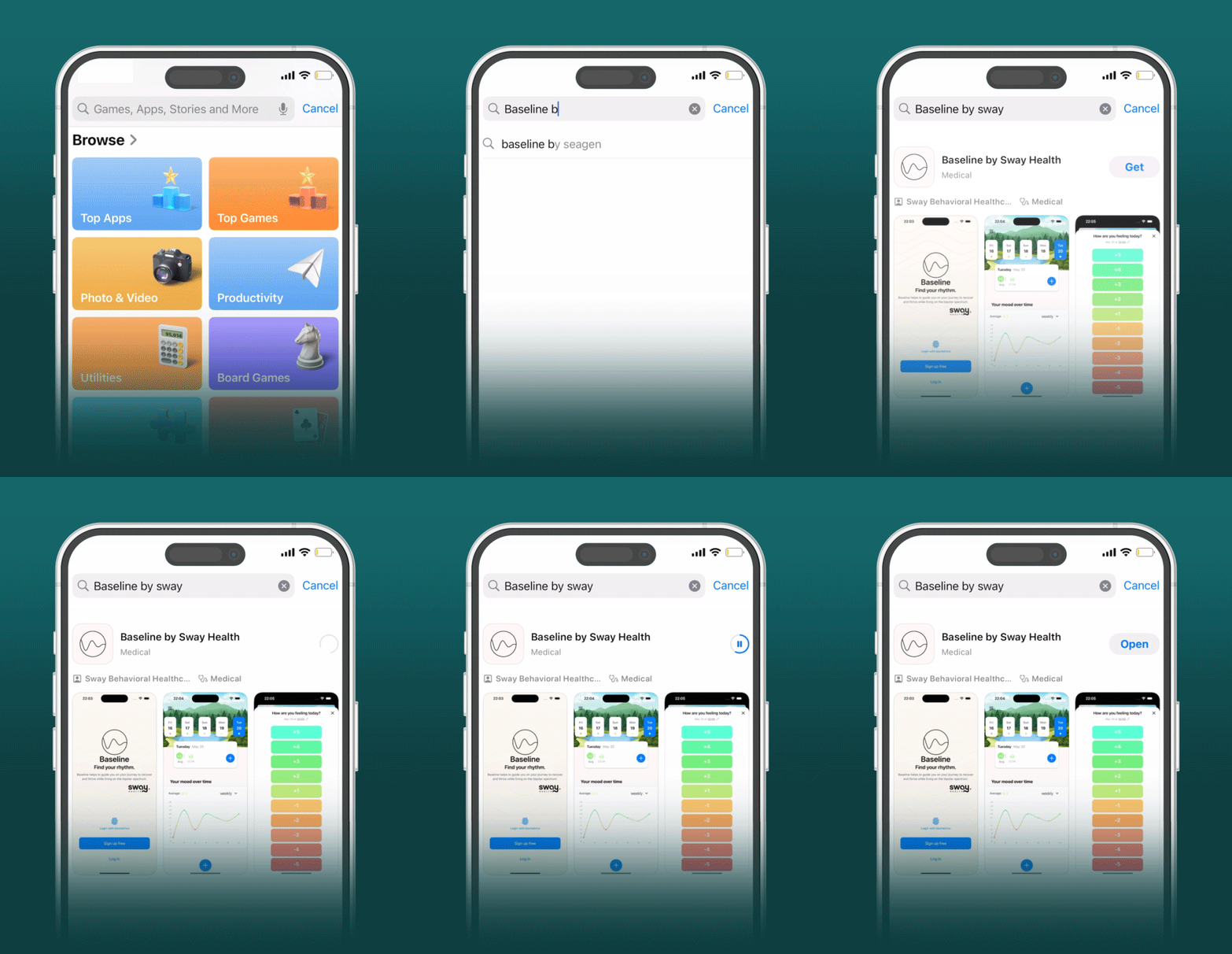
1. Download & Install
Baseline App is available on:


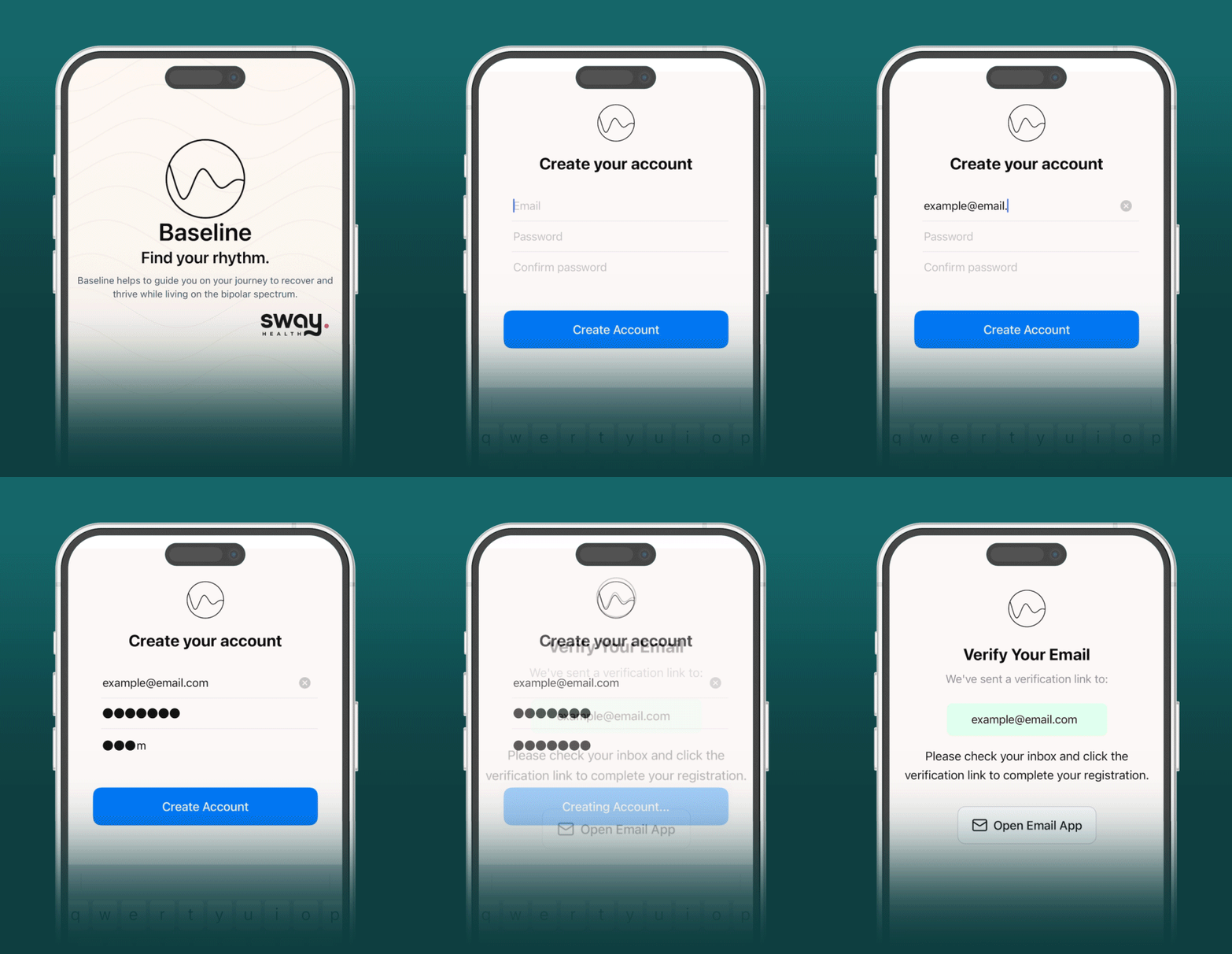
2. Create an account
Once you have the app successfully installed:
- Sign up using your email and a password
- You will receive a verification email (Check spam if you don't)
- Open the email and click on the magic link
Email verification is necessary to ensure that you are the owner of that email address, since it may be used in the future to link with your Sway account this prevents someone else pretending to be you.
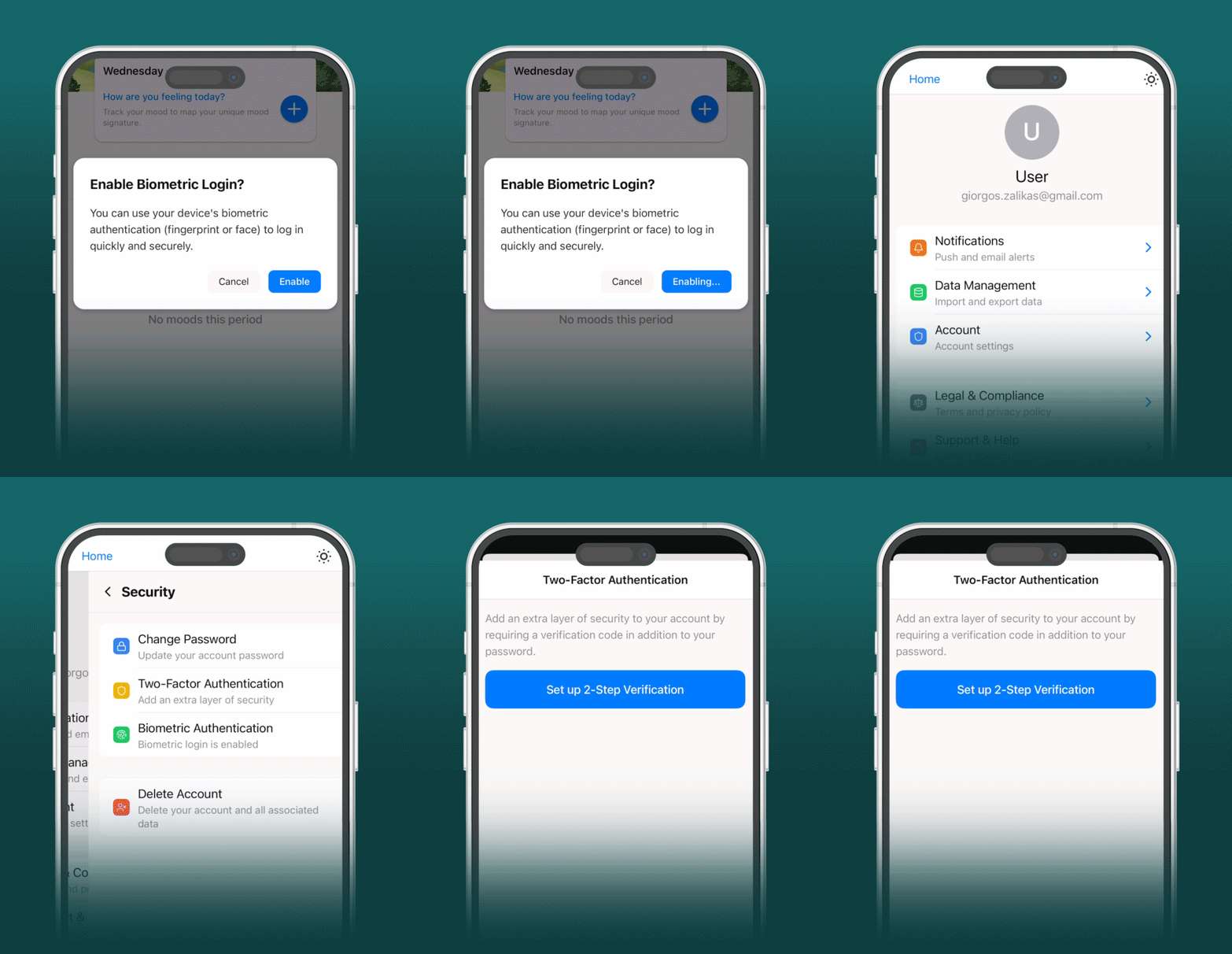
3. Enable Biometric Login
You can now set up biometric authentication
to speed up the login process in the future.
Extra Tip: Set-up 2FA (via a TOTP code) for additional security.
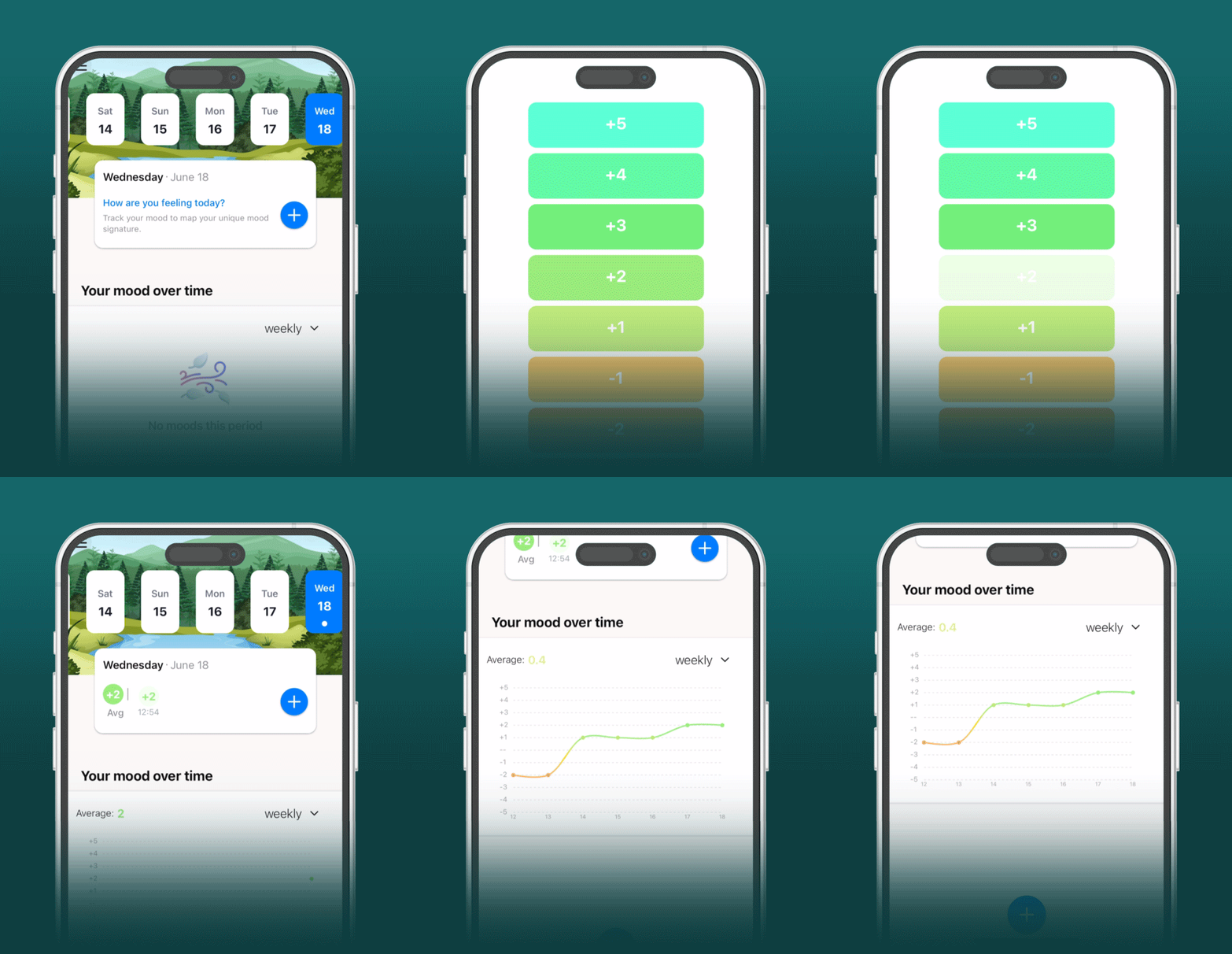
That's it!
Now you are ready to start tracking your mood!
- Tap on the + icon and select your mood level
- Track your mood over the time through the dashboard
- Enable notifications so you never forget to enter your mood
Still got queries? Don’t hesitate to contact us for additional guidance!